
Download KatMouse – Free Mouse Enhancement Tool for Windows with Customizable Button Actions & Scroll Wheel Control
KatMouse is a lightweight, free software utility designed exclusively for Windows users who want to supercharge their mouse experience. Since its debut in 2006, KatMouse has earned a loyal following, with over 7,300 installations worldwide and continued use in countries like Thailand, India, and Brazil. This powerful yet unobtrusive tool enhances your mouse with customizable button actions, scroll wheel improvements, and refined cursor control—perfect for productivity, graphic design, and daily browsing.
Whether you're a power user, a digital artist, or someone looking to streamline repetitive tasks, KatMouse delivers a seamless upgrade to your standard mouse functionality. With a minimal footprint and easy installation, it’s ideal for older systems like Windows 2000 and newer versions. The latest version, 1.03, was released on June 3, 2006, and while the update frequency is low, the software remains stable and effective.
As a free tool, KatMouse offers an accessible way to unlock advanced mouse features without the need for expensive hardware or complex configurations.
Key Features of KatMouse – Enhance Your Mouse Experience
One of the standout reasons users continue to rely on KatMouse is its robust set of customizable features. The software allows you to redefine every button on your mouse, turning them into powerful shortcuts. For example, you can assign one button to open your favorite browser, another to switch between desktops, or even to trigger a custom script.
This level of personalization is especially useful for professionals who use multiple applications daily. The scroll wheel functionality is also significantly enhanced—KatMouse enables smooth, precise scrolling, even on high-DPI displays, and supports customizable scroll speeds and behaviors. This is a game-changer for users working with long documents, web pages, or complex design tools where fine control is essential.
Another powerful feature is the improved cursor control. KatMouse introduces smoother tracking and responsiveness, reducing jitter and improving accuracy. This is particularly beneficial for graphic designers, architects, and anyone who relies on pixel-perfect precision.
The software also supports multi-monitor setups, ensuring your cursor moves seamlessly across screens without lag or misalignment. With no resource-heavy background processes, KatMouse runs quietly in the system tray, consuming minimal memory and CPU. Its intuitive interface makes it easy to configure, even for non-technical users.
All settings are saved automatically, so you don’t need to reconfigure after rebooting. Whether you're using a basic 2-button mouse or a high-end gaming model, KatMouse adapts to your hardware and elevates its capabilities.
Installation & Usage: How to Get Started with KatMouse
Installing KatMouse is a straightforward process that takes less than a minute. First, visit a trusted software download site and search for "KatMouse free download." Ensure you’re downloading from a verified source to avoid malware or bundled software. Once the installer is downloaded, run it and follow the on-screen prompts.
The setup wizard is minimal and user-friendly, requiring no advanced technical knowledge. During installation, you’ll be asked to choose your preferred language—English is the default, but the interface is simple enough to navigate regardless. After installation, KatMouse runs in the background and appears as a small icon in your system tray.
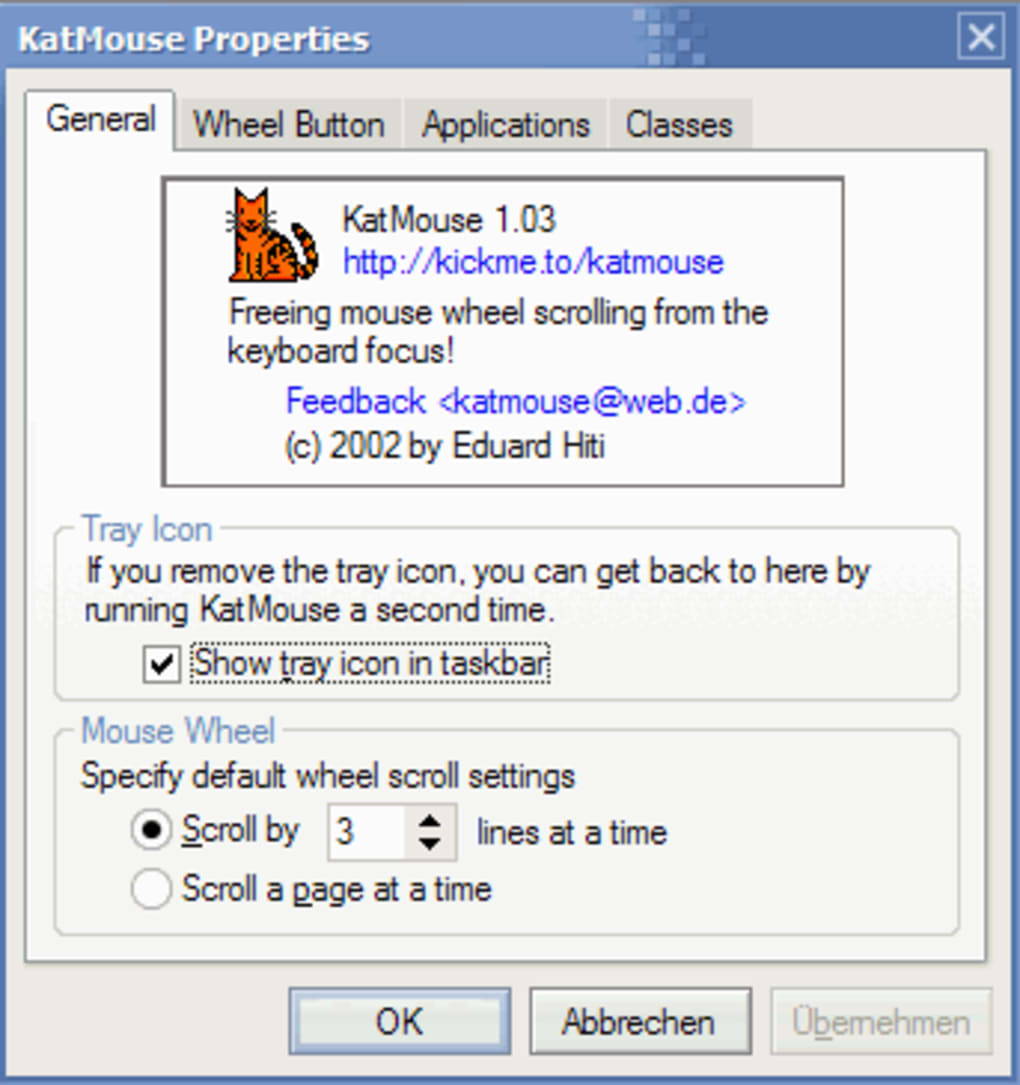
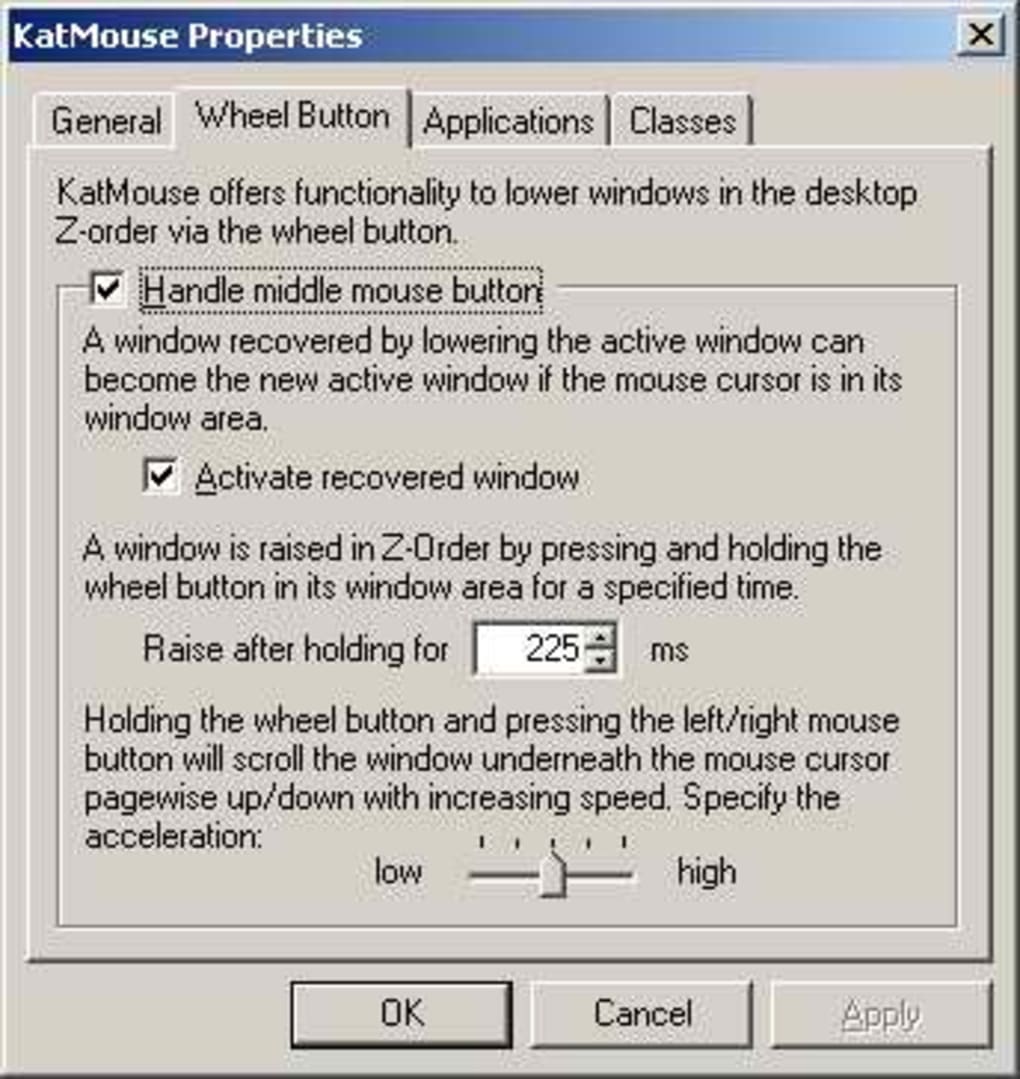
To begin customizing your mouse, right-click the KatMouse icon and select “Settings.” This opens a clean, organized interface where you can assign actions to each mouse button. For instance, you can set the side buttons to open specific folders, perform back/forward navigation in your browser, or trigger keyboard shortcuts. The scroll wheel can be adjusted for speed, direction, and even mapped to zoom in/out in supported applications.
You can also enable features like “Smooth Scrolling” and “Enhanced Cursor Tracking” from the same menu. Once configured, your mouse will behave exactly as you want it to—no more awkward navigation or missed clicks. The software is designed to be non-intrusive, so it won’t interfere with other programs or system performance.
You can disable it at any time via the system tray, and it automatically starts with Windows if desired.
Compatibility & System Requirements
KatMouse is exclusively designed for Windows operating systems, supporting versions from Windows 2000 up to the latest releases. This broad compatibility makes it a reliable choice for users on older machines who still want modern mouse functionality. Whether you're using a legacy system in a small business or a personal computer running Windows 10 or 11, KatMouse will work without issues. It’s particularly well-suited for users with limited hardware resources, as the software is extremely lightweight—typically using less than 5 MB of RAM during operation.
There are no specific hardware requirements beyond a standard USB or PS/2 mouse with at least two buttons. It works seamlessly with wired and wireless mice, including those with side buttons, scroll wheels, and programmable features. The software is compatible with both standard and high-DPI mice, making it ideal for professionals who demand precision.
It also supports multi-monitor configurations, ensuring your cursor moves fluidly across multiple screens. While KatMouse has not received an update since 2006, its core functionality remains stable and effective, which speaks to its well-designed architecture. For users on Mac or Linux, alternative tools like X-Mouse Button Control or AutoHotkey are recommended, but for Windows users, KatMouse remains a solid, free option.
Pros and Cons of KatMouse – Honest Review
- Pros:
- Completely free with no ads or in-app purchases
- Lightweight and low system resource usage
- Supports Windows 2000 and later versions
- Customizable button actions and scroll wheel control
- Smooth cursor tracking and enhanced precision
- Easy to install and configure
- Stable and reliable with minimal crashes
- Cons:
- No updates since 2006 (potential compatibility with future Windows versions)
- Limited to Windows only (no Mac or Linux support)
- No built-in help documentation or tutorial videos
- Basic interface—lacks modern design elements
- Community support is minimal due to age
Frequently Asked Questions (FAQ)
Conclusion: Is KatMouse Worth Downloading in 2024?
KatMouse remains a hidden gem for Windows users seeking to enhance their mouse functionality without spending a dime. Despite its age, the software delivers reliable performance, customizable button actions, and improved scroll and cursor control—features that are still relevant today. While it lacks modern updates and a sleek interface, its stability, lightweight design, and free access make it a compelling choice, especially for users on older systems or those who value simplicity.
If you're a Windows user who frequently navigates complex software, edits designs, or just wants a more efficient mouse experience, KatMouse is worth a try. It’s easy to install, runs quietly in the background, and requires no ongoing maintenance. For those looking for a free, no-frills mouse utility, KatMouse stands out as a dependable tool that has stood the test of time.
Download KatMouse today and unlock the full potential of your mouse—free, secure, and ready to use in minutes.







